
Git SSH 配置
小蜜蜂
· 2026/8/5
· 372 阅读
运维
Git
Github
Gitlab
本文设置方法配合 1Password 来使用,也可以自行生成 Ed25519 密钥。
1. Authentication SSH Key
Git 配置 Authentication SSH Key 后,可以通过 SSH 来 push/pull 代码。
打开 https://github.com/settings/keys 页面,点击 New SSH Key 按钮,Title 自己填写,Key type 选择 Authentication Key ,Key 直接使用 1Password 生成即可,注意粘贴的是公钥。
本地需要修改 origin 是 ssh 地址:
# ssh 地址在 github 页面的 Code 按钮中
git remote set-url origin git@github.com:xxxx/yyyy.git
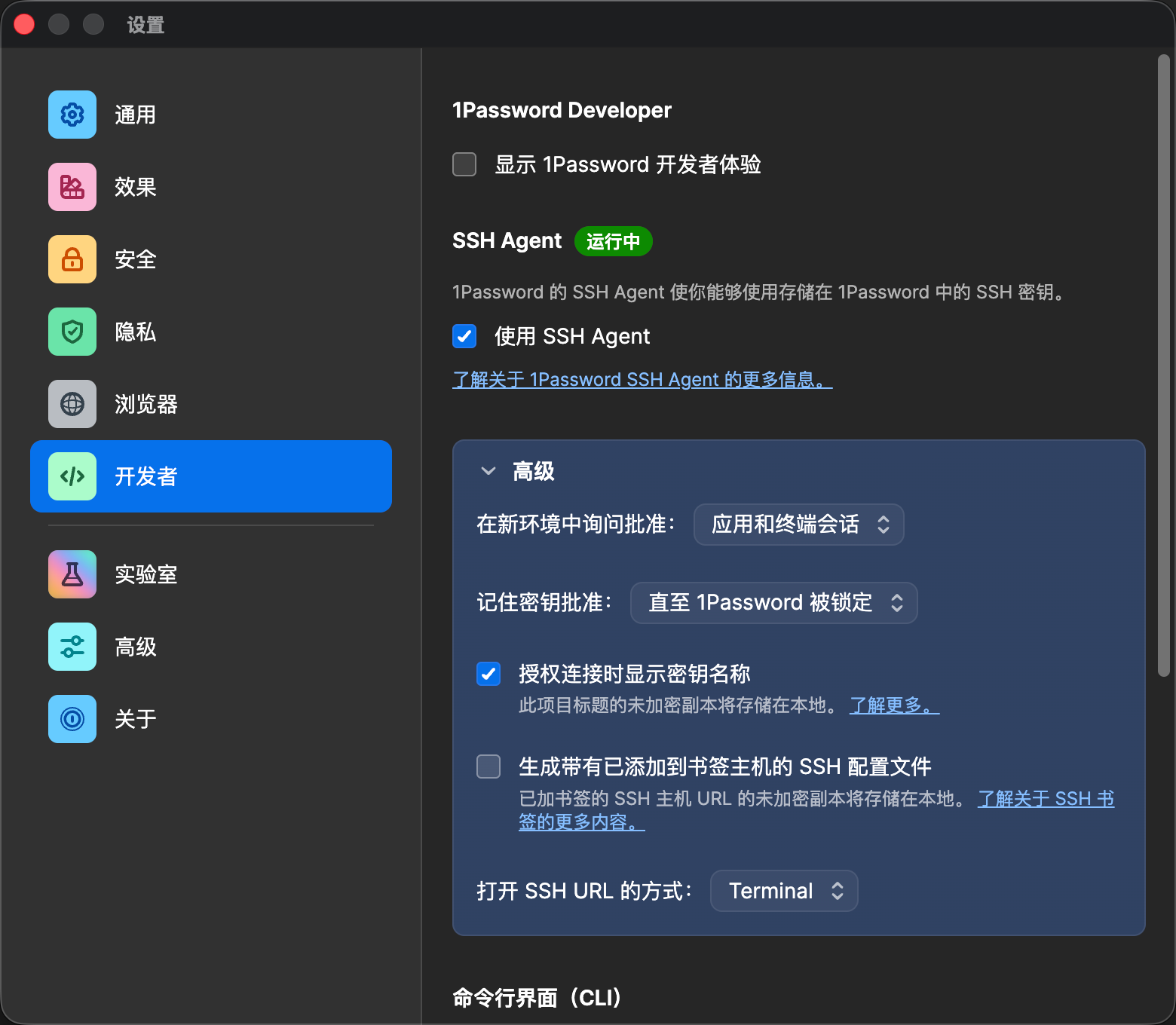
设置完成后,需要修改 1Password 开启 SSH Agent:
2. Signing Key
Git 配置 commit.gpgsign 后,可以在提交记录中显示 Verified 徽章。
打开 https://github.com/settings/keys 页面,点击 New SSH Key 按钮,Title 自己填写,Key type 选择 Signing Key ,Key 直接使用 1Password 生成即可,注意粘贴的是公钥。
本地需要设置 Git 使用密钥进行签名:
# 开启 ssh
git config --global gpg.format ssh
# 设置签名公钥
git config --global user.signingkey "ssh-ed25519 xxxxxx"
# 使用 1Password 签名
git config --global gpg.ssh.program "/Applications/1Password.app/Contents/MacOS/op-ssh-sign"
# 开启 commit 签名
git config --global commit.gpgsign true
# 确保你本地 Git 配置的 user.email 与你 GitHub 账号验证过的邮箱一致
git config --global user.email "your-email@gmail.com"
以后 commit 时会触发 ssh 签名。
评论
登录后可发表评论